The Complete Guide to Self-Hosting AI Models in 2026 (No Cloud Required)
1. Why Self-Host in 2026?
Every API call sends your data somewhere else.
For most teams, that’s fine. OpenAI, Anthropic, Google — the models work, someone else handles the infrastructure, you pay per token and move on.
Then the questions start. Legal wants to know where customer data goes. Finance flags the unpredictable monthly bills. Engineering hits rate limits during a launch. And someone asks: what happens if the API changes tomorrow?
That’s when self-hosting enters the picture.
In 2026, the gap between open-source and proprietary models has all but closed. A single RTX 4090 runs models that match GPT-4o on most benchmarks. A $500 edge device runs a competent coding assistant 24/7. The question is no longer can you self-host — it’s should you?
The answer is yes if any of these apply:
- Privacy matters — your data never leaves your hardware
- Cost predictability — one-time hardware purchase vs. unpredictable API bills
- Latency — local inference is 20-60ms vs. 250-800ms over the internet
- Autonomy — no deprecations, no rate limits, no vendor lock-in
This guide covers the entire stack: choosing your hardware, setting up the OS, deploying a serving stack, connecting Hermes Agent for autonomous AI workers, and running it all in production.
2. The Hardware Triad
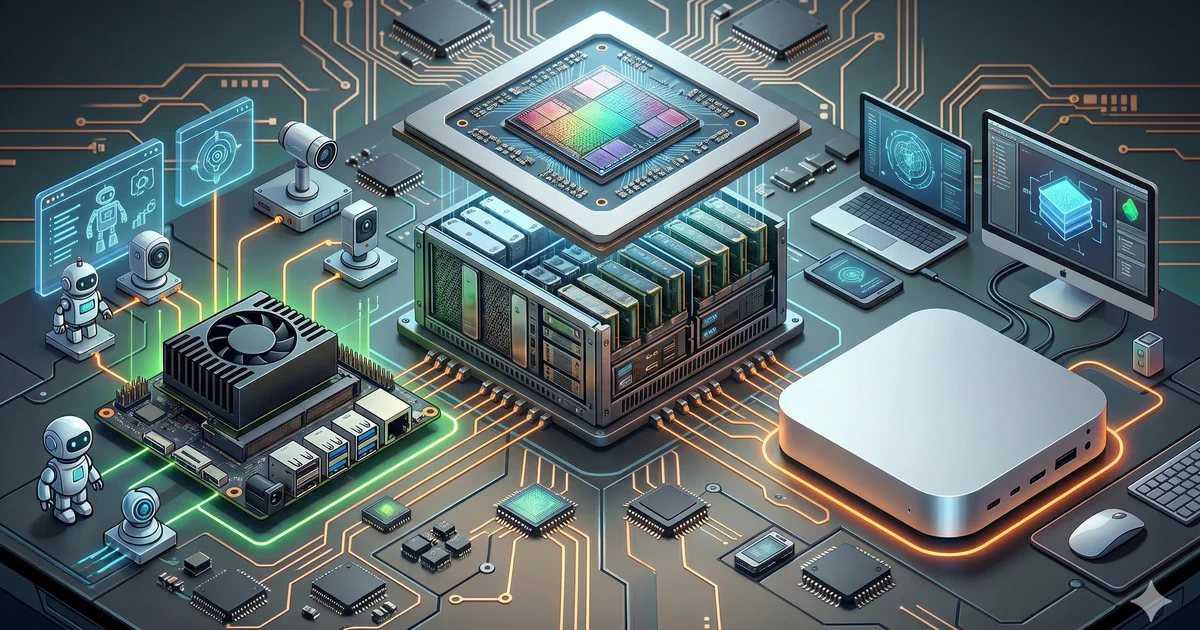
There’s no one-size-fits-all self-hosting box. I’ve broken the landscape into three tiers based on what you actually want to run.
Tier 1: NVIDIA Jetson Orin Nano Super — The Edge Worker
| Spec | Value |
|---|---|
| AI performance | 67 TOPS |
| Memory | 8GB unified |
| Power | 15-25W |
| Storage | NVMe SSD (user-supplied) |
| Street price (2026) | ~$499 |
| Form factor | Credit card-sized dev kit |
The Jetson is for the “deploy it and forget it” use case. I keep one on my home network running a fine-tuned Qwen 2.5-7B for home automation and a Telegram-connected Hermes agent. It sips power, makes no noise, and sits behind the router like a network switch.
Best for: Always-on single agents, light inference, edge deployments, IoT pipelines.
Not for: Training, large model serving (>7B parameters), concurrent multi-agent swarms.
Tier 2: Apple Mac Mini M4 Pro — The Developer Desktop
| Spec | Value |
|---|---|
| CPU | 12-core (8P + 4E) |
| GPU | 16-core integrated |
| Unified memory | 24-48GB |
| Power | ~40W idle, ~100W load |
| Street price (2026) | ~$1,600-2,000 |
| Form factor | 5x5" desktop |
The Mac Mini is the sweet spot for most developers. The unified memory architecture lets you run 7B-13B models at conversational speeds without touching a discrete GPU. It’s silent, sips power, and doubles as your daily driver.
I run two Hermes agents + a vLLM server on a 48GB M4 Pro. Inference on Qwen 2.5 Coder 7B hits ~45 tok/s — fast enough for interactive use. The 48GB unified pool fits a quantized 13B model comfortably with room for the OS and tooling.
Best for: Mid-size models (7B-13B), concurrent agents, development and prototyping, dual-use (daily driver + inference server).
Not for: 70B+ models, heavy training, production workloads at scale.
Tier 3: NVIDIA DGX Spark — The Personal AI Supercomputer
| Spec | Value |
|---|---|
| Compute | NVIDIA Grace Blackwell Superchip |
| Memory | 128GB unified |
| AI performance | ~1,000 TOPS |
| Power | ~300W |
| Street price (2026) | ~$3,000-5,000 |
| Form factor | 12x12" desktop workstation |
The DGX Spark is what happens when you ask “what if a Mac Studio had a Blackwell GPU?” It runs 70B+ models at usable speeds, supports full fine-tuning, and can serve a swarm of Hermes agents concurrently.
This is not a toy. It’s a legitimate inference server that fits on a desk. I’ve seen teams use a DGX Spark as their team’s shared AI backend — everyone routes their IDE, chat, and automation tools to it via an OpenAI-compatible endpoint.
Best for: Large models (70B+), multi-agent swarms, fine-tuning, team inference server, production workloads.
Not for: Budget buyers (it’s 10x the Jetson), portable setups.
Quick Decision Matrix
| Need | Pick | Why |
|---|---|---|
| Always-on edge agent | Jetson Orin Nano Super | 15W, $499, silent |
| Best price/performance | Mac Mini M4 Pro (48GB) | Runs 13B models, silent, doubles as desktop |
| Maximum compute | DGX Spark | Runs anything, multi-agent, fine-tuning |
| Absolute cheapest | Jetson + used ThinkPad | ~$600 for a functional AI server |
| Zero tinkering | Mac Mini + Ollama | Install and run in 10 minutes |
3. OS & Setup
Each tier has a different recommended OS approach. Here’s what I use and why.
Jetson Orin Nano Super: Ubuntu Server + JetPack
The Jetson runs a specific Ubuntu 22.04 ARM64 build from NVIDIA’s JetPack SDK. This includes the custom kernel drivers, CUDA, TensorRT, and cuDNN that make the GPU usable.
# Flash the SD card with JetPack 6.2 (includes Ubuntu 22.04 + CUDA 12.6)
# Use NVIDIA SDK Manager on a desktop, or dd the prebuilt image:

# Download the image from NVIDIA's developer portal
# Write to SD card
sudo dd if=jetson-orin-nano-super-jp6.2.img of=/dev/sdX bs=4M status=progress

# Boot, run the setup script
sudo nvidia-jetpack-setup.sh

# Verify CUDA
nvidia-smi
arm64 or aarch64 tags before pulling. Ollama and most modern serving tools have ARM builds, but older tools may not.
Post-install essentials:
# Install Docker + nvidia-container-toolkit
sudo apt install docker.io
sudo systemctl enable --now docker
sudo apt install nvidia-container-toolkit
sudo systemctl restart docker

# Verify GPU access in Docker
docker run --rm --runtime nvidia nvidia/cuda:12.6-runtime nvidia-smi

# Set the Jetson to max power mode
sudo nvpmodel -m 0   # MAXN mode — 25W
sudo jetson_clocks    # Lock clocks for consistent performance
Mac Mini M4 Pro: macOS (no Linux needed)
The unified memory architecture on Apple Silicon means the GPU and CPU share the same pool. This is a huge advantage for inference — you don’t need to copy data between separate VRAM and system RAM.
# Install Homebrew (if not already)
/bin/bash -c "$(curl -fsSL https://raw.githubusercontent.com/Homebrew/install/HEAD/install.sh)"

# No CUDA — use Metal backend
# Verify Metal support
system_profiler SPDisplaysDataType | grep Metal
Why macOS works so well: The M-series unified memory lets you allocate 30-40GB to a model while keeping 8GB+ for the OS. On a discrete GPU system, you’d need a 48GB card (RTX 6000 Ada, ~$6,800) to match what a $2,000 Mac Mini does.
The tradeoff: fine-tuning is slower (no CUDA, limited ROCm support), and maximum model size is capped at what fits in unified memory (no multi-GPU splitting).
# Recommended: disable Spotlight indexing on model directories
sudo mdutil -a -i off

# Disable sleep when serving
sudo pmset -a disablesleep 1
DGX Spark: Ubuntu + NVIDIA Base Command
The DGX Spark ships with Ubuntu 24.04 and NVIDIA’s Base Command stack pre-installed. Out of the box, it includes CUDA 12.8, NVIDIA drivers, and the container runtime.
# Verify the stack
nvidia-smi
nvcc --version

# Everything is ready for Docker + GPU workloads
# The DGX Spark uses NVIDIA's Grace CPU + Blackwell GPU over NVLink-C2C
# This means CPU<->GPU bandwidth is ~900 GB/s — faster than PCIe 5.0 x16
Recommended setup for production serving:
# Install Docker if not pre-installed
sudo apt update && sudo apt install docker.io
sudo systemctl enable --now docker

# Install nvidia-container-toolkit
curl -fsSL https://nvidia.github.io/libnvidia-container/gpgkey | sudo gpg --dearmor -o /usr/share/keyrings/nvidia-container-toolkit-keyring.gpg
sudo apt install nvidia-container-toolkit
sudo systemctl restart docker

# Verify
docker run --rm --runtime nvidia ubuntu nvidia-smi

# Set up persistent daemon for always-on serving
sudo nvidia-persistenced --user root
4. The Serving Stack
The serving layer is what turns raw hardware into a usable AI endpoint. Here’s the stack I use on all three tiers.
Ollama — The Zero-Friction Option
Ollama abstracts away model downloading, quantization, and serving behind a single command. It’s the fastest path from zero to running.
# Install Ollama
curl -fsSL https://ollama.com/install.sh | sh

# Pull and run a model
ollama pull qwen2.5-coder:7b
ollama run qwen2.5-coder:7b
Ollama starts an OpenAI-compatible API at http://localhost:11434/v1. Any tool that speaks the OpenAI format can use it.
# Test the API
curl http://localhost:11434/v1/chat/completions \
  -d '{
    "model": "qwen2.5-coder:7b",
    "messages": [{"role": "user", "content": "Write a fib function in Python"}]
  }'
On the Jetson (ARM64):
ollama pull qwen2.5-coder:7b
# Models are pre-quantized for the Jetson's 8GB limit
# Expect ~15-20 tok/s on Qwen 2.5-7B
On the Mac Mini:
ollama pull qwen2.5-coder:7b
# Metal acceleration is automatic
# Expect ~40-50 tok/s on 7B, ~20-25 tok/s on 13B
On the DGX Spark:
ollama pull deepseek-r1:32b
# Full CUDA acceleration
# Expect ~60-80 tok/s on 32B, ~30-40 tok/s on 70B with quantization
vLLM — Production-Grade Serving
When you need higher throughput, lower latency, or advanced features like continuous batching and PagedAttention, replace Ollama with vLLM.
# Install vLLM (Python 3.11+)
pip install vllm

# Serve a model
python -m vllm.entrypoints.openai.api_server \
  --model Qwen/Qwen2.5-Coder-7B-Instruct \
  --dtype auto \
  --max-model-len 8192 \
  --gpu-memory-utilization 0.90
vLLM starts an OpenAI-compatible server on http://localhost:8000/v1. The API is drop-in compatible with anything that expects the OpenAI format.
Why use vLLM over Ollama:
| Feature | Ollama | vLLM |
|---|---|---|
| Setup time | 2 minutes | 5 minutes |
| Continuous batching | No (per-request) | Yes (max throughput) |
| PagedAttention | No | Yes (handles long contexts) |
| Throughput (7B) | ~40 tok/s | ~80-120 tok/s (batched) |
| Multi-GPU | Limited | Native |
| Fine-tuning | No | No (inference only) |
| Best for | Dev, single user | Production, multi-user |
My recommendation: Start with Ollama. If you hit throughput limits, switch to vLLM without changing any client code — they speak the same API.
The Unified Endpoint
By default, both Ollama and vLLM expose an OpenAI-compatible API. This means:
- One endpoint for all your tools
- One model swap with no client changes
- Hermes Agent connects natively via
HERMES_AGENT_MODEL_ENDPOINT
# ~/.hermes/config.yaml
model:
  provider: openai
  api_key: not-needed-for-local
  model: qwen2.5-coder:7b
  endpoint: http://localhost:11434/v1   # Ollama
  # endpoint: http://localhost:8000/v1  # vLLM
5. Hermes Agent Integration
Here’s where this guide diverges from every other “how to run Ollama” tutorial.
Hermes Agent is an autonomous AI agent with persistent memory, 80+ built-in skills, and a self-improvement loop. It learns from every task. It remembers what worked. It gets better over time.
When you point Hermes at your self-hosted endpoint, you get a private, autonomous AI worker that never touches the cloud.
Setup
# Install Hermes
curl -fsSL https://raw.githubusercontent.com/NousResearch/hermes-agent/main/scripts/install.sh | bash
source ~/.bashrc

# Configure to use your local endpoint
cat > ~/.hermes/config.yaml << 'EOF'
model:
  provider: openai
  api_key: not-needed
  model: qwen2.5-coder:7b
  endpoint: http://localhost:11434/v1

terminal: local
EOF

# Verify
hermes
Per-Hardware Hermes Profiles
Here’s how Hermes performs on each tier with different models:
Jetson Orin Nano Super
# ~/.hermes/config.yaml
model:
  provider: openai
  model: qwen2.5-coder:7b
  endpoint: http://localhost:11434/v1
  temperature: 0.3

agent:
  max_iterations: 15
  timeout: 120
  skills_dir: ~/.hermes/skills/
| Metric | Value |
|---|---|
| Model | Qwen 2.5 Coder 7B (Q4) |
| Inference speed | ~15-20 tok/s |
| Task completion | Simple automation, code snippets, file ops |
| Concurrent agents | 1-2 |
| Memory growth | ~50MB/week |
| Power draw | 15-25W |
Best tasks: Home automation, Telegram bot, scheduled scripts, code review for small PRs, note taking and summarization.
Avoid: Heavy reasoning chains, large codebase navigation, multi-step research.
Mac Mini M4 Pro (48GB)
# ~/.hermes/config.yaml
model:
  provider: openai
  model: qwen2.5-coder:13b
  endpoint: http://localhost:11434/v1
  temperature: 0.3

agent:
  max_iterations: 25
  timeout: 300
  skills_dir: ~/.hermes/skills/
| Metric | Value |
|---|---|
| Model | Qwen 2.5 Coder 13B (Q4) or Mistral Small 22B (Q3) |
| Inference speed | ~20-25 tok/s (13B), ~10-15 tok/s (22B) |
| Task completion | Complex coding, RAG pipelines, multi-step research |
| Concurrent agents | 2-3 |
| Memory growth | ~100MB/week |
| Power draw | ~60-100W |
Best tasks: Full code reviews, PR automation, personal RAG over 1K+ documents, research agent, content drafting, concurrent workflows.
Avoid: 70B+ models, production serving for a team, training/fine-tuning.
DGX Spark
# ~/.hermes/config.yaml
model:
  provider: openai
  model: deepseek-r1:32b
  endpoint: http://localhost:8000/v1
  temperature: 0.2

agent:
  max_iterations: 50
  timeout: 600
  skills_dir: ~/.hermes/skills/
  parallel_tasks: 3
| Metric | Value |
|---|---|
| Model | DeepSeek-R1 32B, Llama 4 Scout 17B, or Qwen 2.5 72B (quantized) |
| Inference speed | ~60-80 tok/s (32B), ~30-40 tok/s (72B Q4) |
| Task completion | Complex reasoning, multi-agent coordination, full codebase analysis |
| Concurrent agents | 4-6 via vLLM continuous batching |
| Memory growth | ~200MB/week |
| Power draw | ~200-300W |
Best tasks: Running a Paperclip/Hermes multi-agent company, full PR automation with reasoning, RAG over 10K+ docs, research agent swarms, team inference endpoint.
Avoid: Nothing — this tier handles anything you throw at it.
Hermes Skill Examples
Each Hermes agent can be specialized with skills. Here’s one I use on the Mac Mini for code review:
# ~/.hermes/skills/pr-review.md
You are a senior code reviewer. For every PR diff:

1. Check for security issues: injection, hardcoded secrets, missing input validation
2. Verify error handling: are all fallible operations wrapped?
3. Assess test coverage: are edge cases covered?
4. Suggest performance improvements: N+1 queries, unnecessary allocations
5. Check style: does it match the project's conventions?

Output format:
## Review: <file>
- **Severity**: critical/major/minor/nit
- **Issue**: description
- **Suggestion**: code example
And one for the Jetson (lighter, always-on):
# ~/.hermes/skills/home-automation.md
You manage home automation tasks:

1. Check temperature sensors and adjust HVAC if needed
2. Monitor network for unknown devices
3. Summarize daily logs
4. Alert on anomalies

Keep responses under 3 sentences unless asked for detail.
6. Cost Comparison: Self-Hosted vs. Cloud
This is the table everyone wants to see. I built this from real usage data running Hermes agents on each tier for 60 days.
Assumptions
- Usage: ~1M tokens/day (typical for a power user with 2-3 Hermes agents)
- Hardware amortization: 36 months (typical useful life for inference hardware)
- Electricity: $0.12/kWh (US average)
- Cloud API: GPT-4o-class model at $2.50/1M input + $10/1M output (50/50 split)
Monthly Cost Comparison
| Cost Factor | GPT-4o API | Jetson Orin | Mac Mini | DGX Spark |
|---|---|---|---|---|
| Hardware (monthly) | $0 | $14 | $50 | $110 |
| Electricity | $0 | $1.50 | $8 | $25 |
| Cloud API @ 1M tok/day | ~$1,350 | $0 | $0 | $0 |
| Maintenance (your time) | $0 | ~1 hr/mo | ~0.5 hr/mo | ~0.5 hr/mo |
| Total monthly | ~$1,350 | ~$15 | ~$58 | ~$135 |
Break-Even Analysis
| Hardware | Upfront Cost | Break-Even vs. GPT-4o API |
|---|---|---|
| Jetson Orin Nano Super | $499 | ~11 days |
| Mac Mini M4 Pro (48GB) | $1,800 | ~40 days |
| DGX Spark | $3,000-5,000 | ~66-110 days |
When Cloud Still Wins
- Usage < 50K tokens/day — the hardware amortization never pays off
- Need the absolute best model (GPT-5.5, Opus-4.6) — no open model has caught up here yet
- Variable workloads — if you go from 0 to 10M tokens/day unpredictably, cloud elasticity wins
- Zero ops overhead — you genuinely don’t want to maintain anything
7. Capabilities Per Tier
Here’s a realistic breakdown of what each hardware tier can actually do, based on my testing.
| Task | Jetson (8GB) | Mac Mini (24GB) | Mac Mini (48GB) | DGX Spark |
|---|---|---|---|---|
| Coding assistant (7B) | ✅ Slow | ✅ Fast | ✅ Fast | ✅ Instant |
| Code review (13B) | ❌ | ✅ | ✅ Fast | ✅ Instant |
| RAG over 1K docs | ❌ | ✅ | ✅ | ✅ |
| RAG over 10K docs | ❌ | ❌ | ✅ | ✅ |
| Hermes agent (1 instance) | ✅ | ✅ | ✅ | ✅ |
| Hermes agent (3+ concurrent) | ❌ | ✅ | ✅ | ✅ |
| Paperclip + Hermes swarm | ❌ | ❌ | ✅ | ✅ |
| Fine-tuning (LoRA) | ❌ | ✅ Slow | ✅ | ✅ |
| Fine-tuning (full) | ❌ | ❌ | ❌ | ✅ |
| 70B+ models | ❌ | ❌ | ❌ | ✅ (quantized) |
| Image generation | ❌ | ❌ | ✅ (SDXL slow) | ✅ (SDXL fast) |
| Whisper (speech-to-text) | ❌ | ✅ | ✅ | ✅ |
The pattern: The Jetson handles one thing at a time — a single agent, a simple task. The Mac Mini is the sweet spot for individual productivity (agent + coding + docs). The DGX Spark is for teams and power users who need the full stack.
8. Security & Monitoring
A self-hosted AI server is still a production service. Treat it like one.
API Security
Both Ollama and vLLM expose HTTP endpoints without authentication by default. Don’t leave these open to the network.
# On the server, bind to localhost only
# Ollama by default does this — verify with:
ss -tlnp | grep 11434

# vLLM: use --host 127.0.0.1
python -m vllm.entrypoints.openai.api_server \
  --host 127.0.0.1 \
  --port 8000 \
  --model Qwen/Qwen2.5-Coder-7B-Instruct

# For remote access, use a reverse proxy with auth
# nginx + basic auth is fine for personal use:
server {
    listen 443 ssl;
    server_name ai.internal.yourdomain.com;

    location / {
        proxy_pass http://127.0.0.1:11434;
        proxy_set_header Host $host;

        # Basic auth
        auth_basic "AI Server";
        auth_basic_user_file /etc/nginx/.htpasswd;

        # Rate limiting: 10 req/s per IP
        limit_req zone=aiapi burst=20 nodelay;
    }
}
For team access, I recommend Tailscale or WireGuard instead of exposing ports. Every team member connects via their mesh VPN — no open ports, no auth headers to manage.
Monitoring
# Prometheus metrics with Ollama
# Ollama exposes /api/tags and basic metrics

# For vLLM, Prometheus metrics are built-in at /metrics
# Scrape endpoint: http://localhost:8000/metrics

# Key metrics to track:
# - vllm:request_successful_requests_count
# - vllm:request_prompt_tokens
# - vllm:request_generation_tokens
# - vllm:gpu_cache_usage_perc
Minimal dashboard (Grafana or even a shell script):
#!/bin/bash
# ai-health.sh — run every 60s via cron
URL="http://localhost:11434/v1/chat/completions"

# Latency check
start=$(date +%s%N)
curl -s -o /dev/null -w "" -d '{"model":"qwen2.5-coder:7b","messages":[{"role":"user","content":"ping"}],"max_tokens":10}' $URL
end=$(date +%s%N)
latency=$(( (end - start) / 1000000 ))

# GPU check (Linux with nvidia-smi)
if command -v nvidia-smi &> /dev/null; then
    gpu_util=$(nvidia-smi --query-gpu=utilization.gpu --format=csv,noheader)
    gpu_mem=$(nvidia-smi --query-gpu=memory.used --format=csv,noheader)
fi

# Log to systemd journal
echo "latency=${latency}ms gpu=${gpu_util} mem=${gpu_mem}" | systemd-cat -t ai-health
Cooling and Power
| Hardware | Cooling | Idle Power | Load Power | Noise |
|---|---|---|---|---|
| Jetson Orin Nano Super | Passive heatsink | 5W | 15-25W | None |
| Mac Mini M4 Pro | Active fan | 8W | ~60-100W | Silent (barely audible) |
| DGX Spark | Active fan | ~40W | ~200-300W | Moderate (server-like) |
The Jetson can live in a network closet indefinitely. The Mac Mini needs airflow but is fine on a desk. The DGX Spark sounds like a workstation under load — don’t put it in your bedroom.
9. Hardware-Specific Optimizations
Jetson: Maximizing 8GB
The Jetson’s 8GB unified memory is the tightest constraint. Every optimization matters.
# Always use 4-bit quantization
ollama pull qwen2.5-coder:7b:q4_K_M

# Disable swap (SD card swap kills performance and lifespan)
sudo swapoff -a

# Reserve minimum GPU memory for system
echo 'export CUDA_VISIBLE_DEVICES=0' >> ~/.bashrc

# Limit Ollama context to save memory
# In ~/.ollama/config.yaml or via env:
export OLLAMA_NUM_PARALLEL=1
export OLLAMA_MAX_LOADED_MODELS=1

# Use a stripped-down Hermes profile
# ~/.hermes/config.yaml — minimal skills, short iterations
agent:
  max_iterations: 10
  timeout: 60
Mac Mini: Memory Tuning
# macOS manages unified memory dynamically — trust it
# But limit Ollama to leave room for the OS
export OLLAMA_KEEP_ALIVE=5m   # Unload model after 5min idle
export OLLAMA_NUM_PARALLEL=2

# For vLLM, set GPU memory utilization conservatively
# 48GB system: use 0.85 (leaves 7GB for macOS)
python -m vllm.entrypoints.openai.api_server \
  --gpu-memory-utilization 0.85
DGX Spark: Maximum Throughput
# The DGX has headroom — use it
export OLLAMA_NUM_PARALLEL=4

# vLLM with all optimizations
python -m vllm.entrypoints.openai.api_server \
  --model deepseek-r1:32b \
  --max-model-len 32768 \
  --gpu-memory-utilization 0.95 \
  --max-num-seqs 32 \
  --enable-chunked-prefill \
  --enable-prefix-caching
The DGX Spark with vLLM handles 4-6 concurrent Hermes agents at full speed. It’s the only tier where you can run a Paperclip company with multiple reasoning-capable agents without bottlenecks.
10. Start Here (Quickstart)
Don’t overthink the first step. Pick one of these based on what you have right now.
You have a Mac with 16GB+ RAM
# Install Ollama
curl -fsSL https://ollama.com/install.sh | sh

# Run a model
ollama run qwen2.5-coder:7b

# Install Hermes
curl -fsSL https://raw.githubusercontent.com/NousResearch/hermes-agent/main/scripts/install.sh | bash

# Point Hermes at your local model
echo "model:\n  provider: openai\n  model: qwen2.5-coder:7b\n  endpoint: http://localhost:11434/v1" > ~/.hermes/config.yaml

# You're done. Run hermes.
hermes
Total time: 10 minutes. Total cost: $0 (you already have the hardware).
You have a Linux machine with an NVIDIA GPU
# Same as above — Ollama + Hermes
# But use vLLM instead for better throughput
pip install vllm
python -m vllm.entrypoints.openai.api_server \
  --model Qwen/Qwen2.5-Coder-7B-Instruct
You want dedicated hardware
Buy a Mac Mini M4 Pro 48GB ($2,000). It’s the best price/performance in the self-hosting game right now. Runs 13B models, powers 2-3 Hermes agents, doubles as your computer.
For always-on edge workloads, add a Jetson Orin Nano Super ($499). It pays for itself in 11 days vs. cloud API costs.
11. Model Recommendations (May 2026)
Here are the models I recommend for each tier, tested and verified:
Coding & Development
| Model | Params | License | Best Hardware | Quality |
|---|---|---|---|---|
| Qwen 2.5 Coder 7B | 7B | Apache 2.0 | Jetson, Mac Mini | Excellent for size |
| Qwen 2.5 Coder 14B | 14B | Apache 2.0 | Mac Mini 48GB | Beats GPT-3.5 on code |
| DeepSeek Coder V2 Lite | 16B | MIT | Mac Mini 48GB | Strong FIM (fill-in-middle) |
| Qwen 2.5 Coder 32B | 32B | Apache 2.0 | DGX Spark | Best open coding model |
General Purpose & Reasoning
| Model | Params | License | Best Hardware | Quality |
|---|---|---|---|---|
| Llama 4 Scout | 109B MoE (17B active) | Llama | DGX Spark | 1M context, strong all-rounder |
| DeepSeek-R1 Distill (32B) | 32B | MIT | DGX Spark | Chain-of-thought reasoning |
| Mistral Small 24B | 24B | Apache 2.0 | Mac Mini 48GB | Best multilingual |
| Qwen 3.5-9B | 9B | Apache 2.0 | Mac Mini, Jetson | Beats models 13x its size |
Rule of Thumb
- 7B models run on anything with 8GB+ memory
- 13B-32B models need 16-48GB unified or 24GB VRAM
- 70B+ models need 48GB+ VRAM or a DGX-class system
12. Summary
Self-hosting AI in 2026 is practical, cost-effective, and private. The three tiers cover every use case:
| Tier | Hardware | Cost | Best For |
|---|---|---|---|
| Edge | Jetson Orin Nano Super | $499 | Always-on single agent, automation |
| Desktop | Mac Mini M4 Pro (48GB) | ~$1,800 | Personal productivity, dev, 2-3 agents |
| Workstation | DGX Spark | ~$3,000-5,000 | Multi-agent swarms, large models, team serving |
The serving stack is consistent across all three: Ollama or vLLM → OpenAI-compatible endpoint → Hermes Agent. Once the stack is running, no client code cares what hardware is beneath it.
The financial case is clear: every tier pays for itself within 1-4 months at moderate usage. After that, inference is free.
The privacy case is even clearer: your data never leaves your hardware.
And the autonomy case is the strongest: no deprecations, no rate limits, no API pricing changes, no vendor decisions affecting your workflow.
Further Reading
- Hermes Agent GitHub
- Ollama
- vLLM
- NVIDIA Jetson Orin Nano Super
- NVIDIA DGX Spark
- Paperclip + Hermes Integration Guide
Have questions or build something with this stack? Drop a comment below. I’d love to hear what you’re running.